
I rebooted my PC (Windows 7 x64) and I still couldn't get past this screen. Redsn0w is not able to jailbreak your iPhone/iPod if you the drivers for the iPhone DFU mode are not installed. So I went to my device manager and I saw my problem.

If you have iTunes installed on your computer, the drivers for Apple Mobile Device (DFU Mode) should already be on your computer. Right click the device above and select Update Driver Software.
Try to Search Automatically first, if you get this screen:
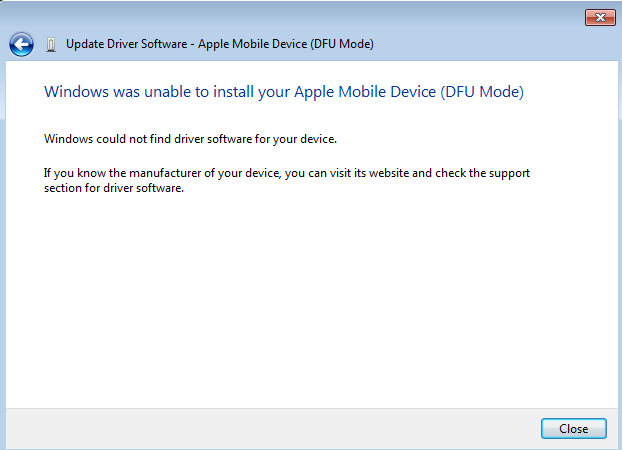
Choose to browse my computer for the driver software. Navigate to this path
C:\Program Files\Common Files\Apple\Mobile Device Support\Drivers
Windows should now find the drivers for the device and hopefully you should see this screen.

Try running redsn0w again to jailbreak your iPhone. Good luck!
